Guide

Set it up once.
Use it every day.

A practical walkthrough of the main dashboard, tools, Focus Mode and appearance controls.

01

Dashboard

Set up the essentials.

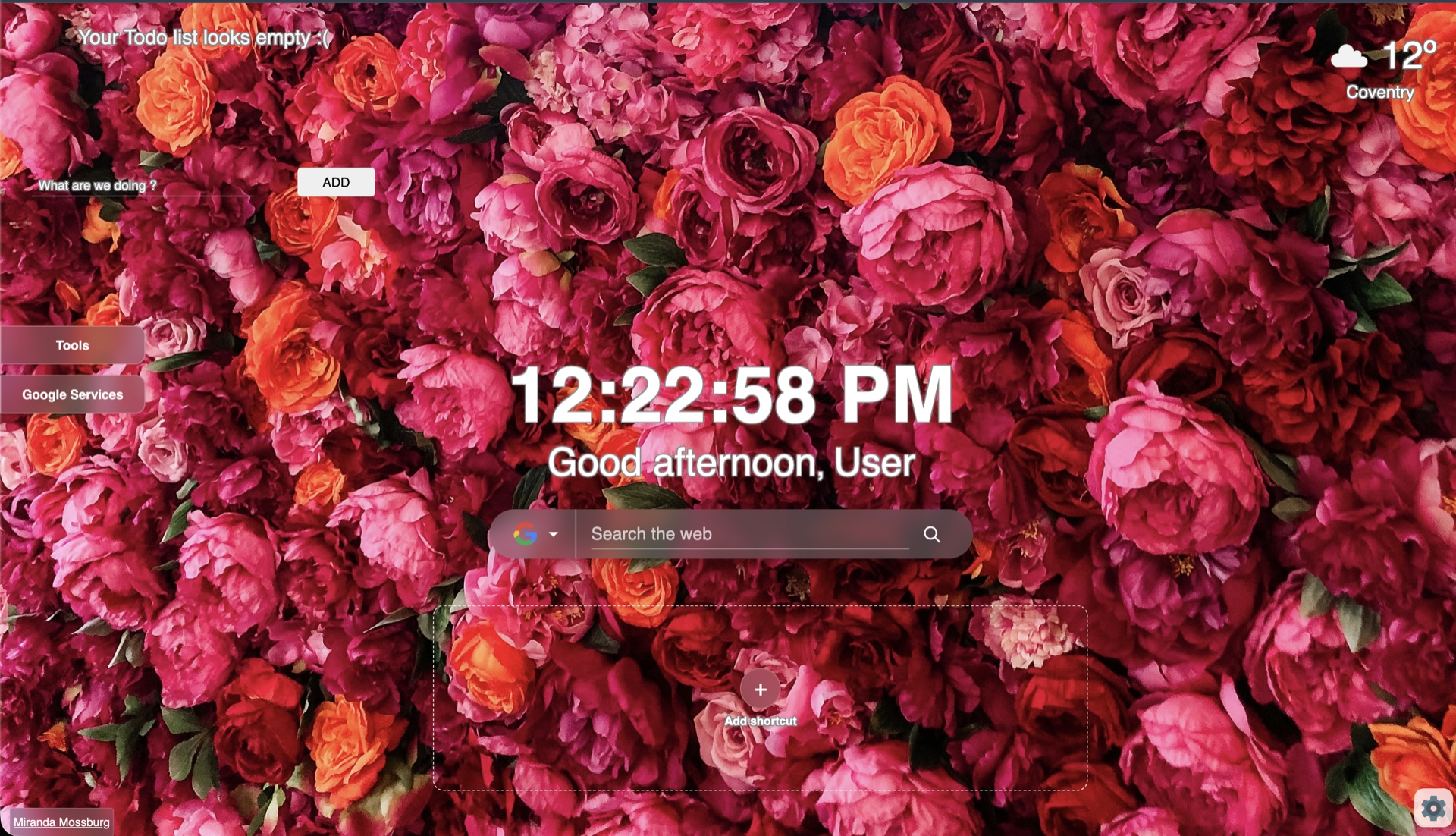
  1. Open a new tab after installing Octane.
  2. Choose your preferred search engine from the icon beside the search field.
  3. Open Settings to choose 12-hour or 24-hour time and metric or imperial weather units.
  4. Allow location access if you want local weather.
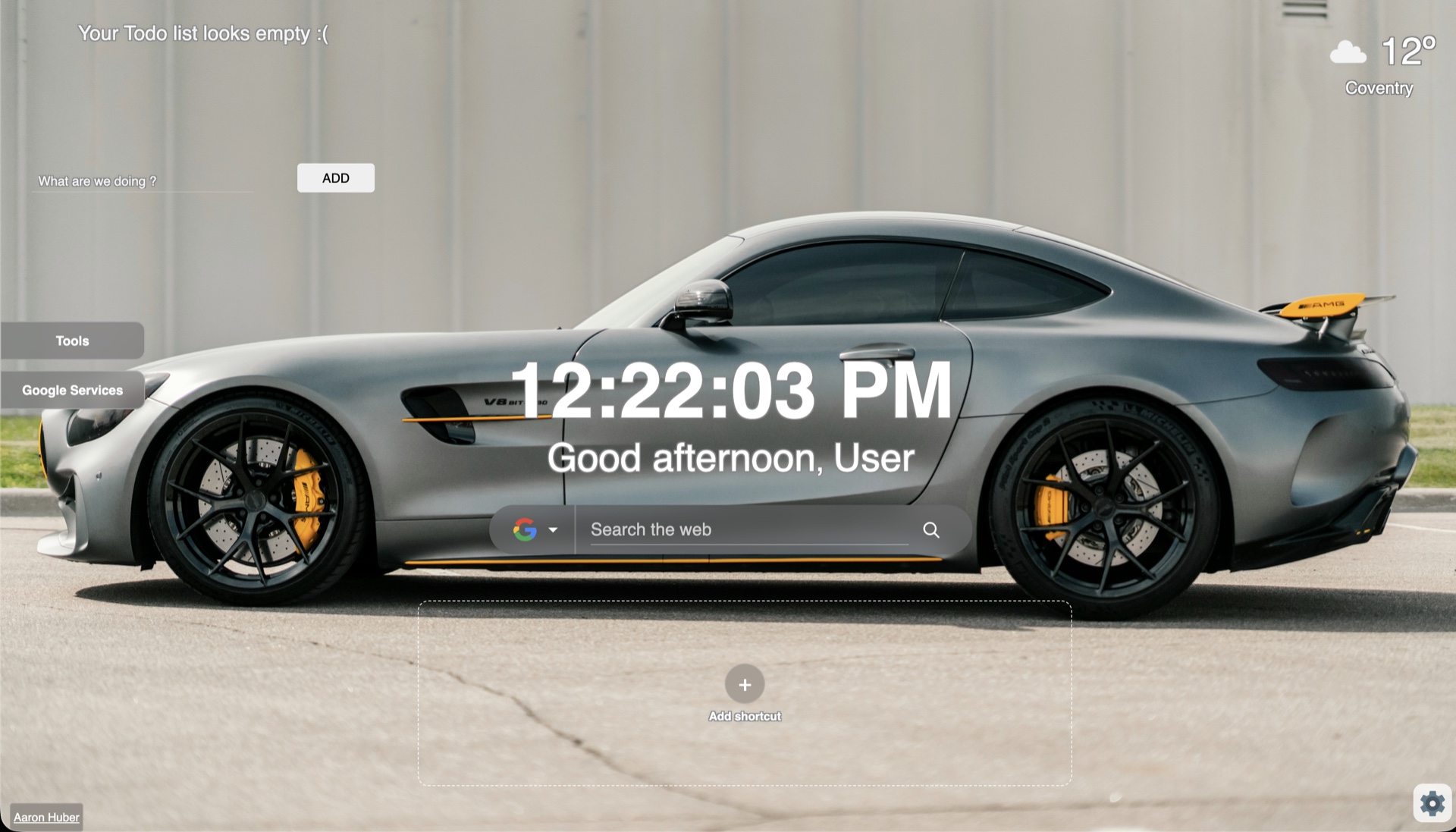
The main Octane dashboard
02

Plan and open

Add tasks and shortcuts.

  1. Type a task in the to-do field and select Add.
  2. Use the check control when a task is complete.
  3. Select Add shortcut, enter a title of at least three characters and provide a URL beginning with http:// or https://.
  4. If a favicon is unavailable, Octane uses the shortcut’s first letter.
Octane dashboard showing its shortcut area
03

Tools

Keep useful information nearby.

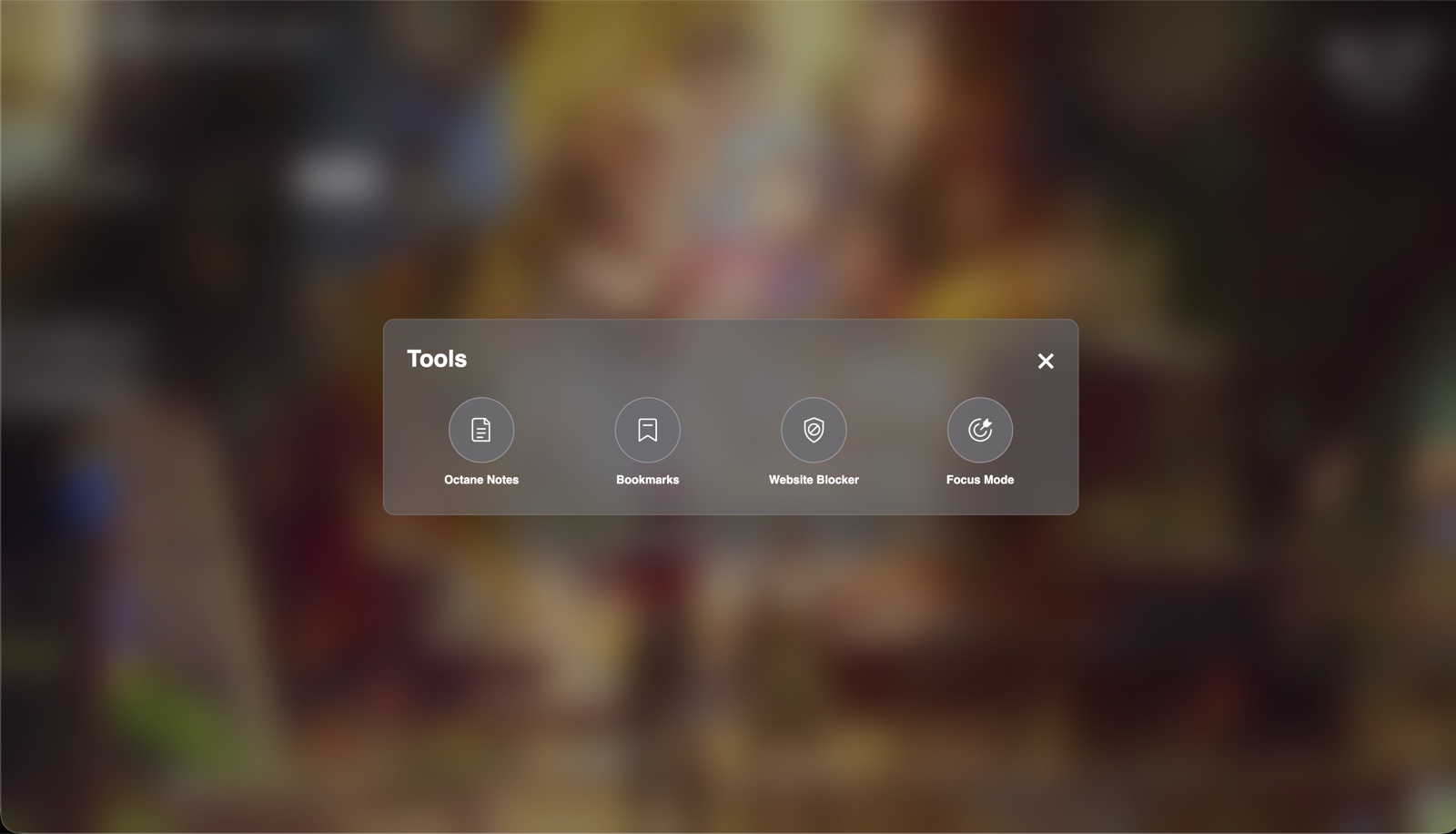
  1. Open Tools from the left side of the dashboard.
  2. Choose Notes for local writing or Bookmarks to browse your Chrome bookmark folders.
  3. Open Website Blocker to add a domain and use its toggle whenever you want to pause blocking for that site.
  4. Use Google Services to search and open a Google app.
Octane tools menu
04

Focus Mode

Give the session one job.

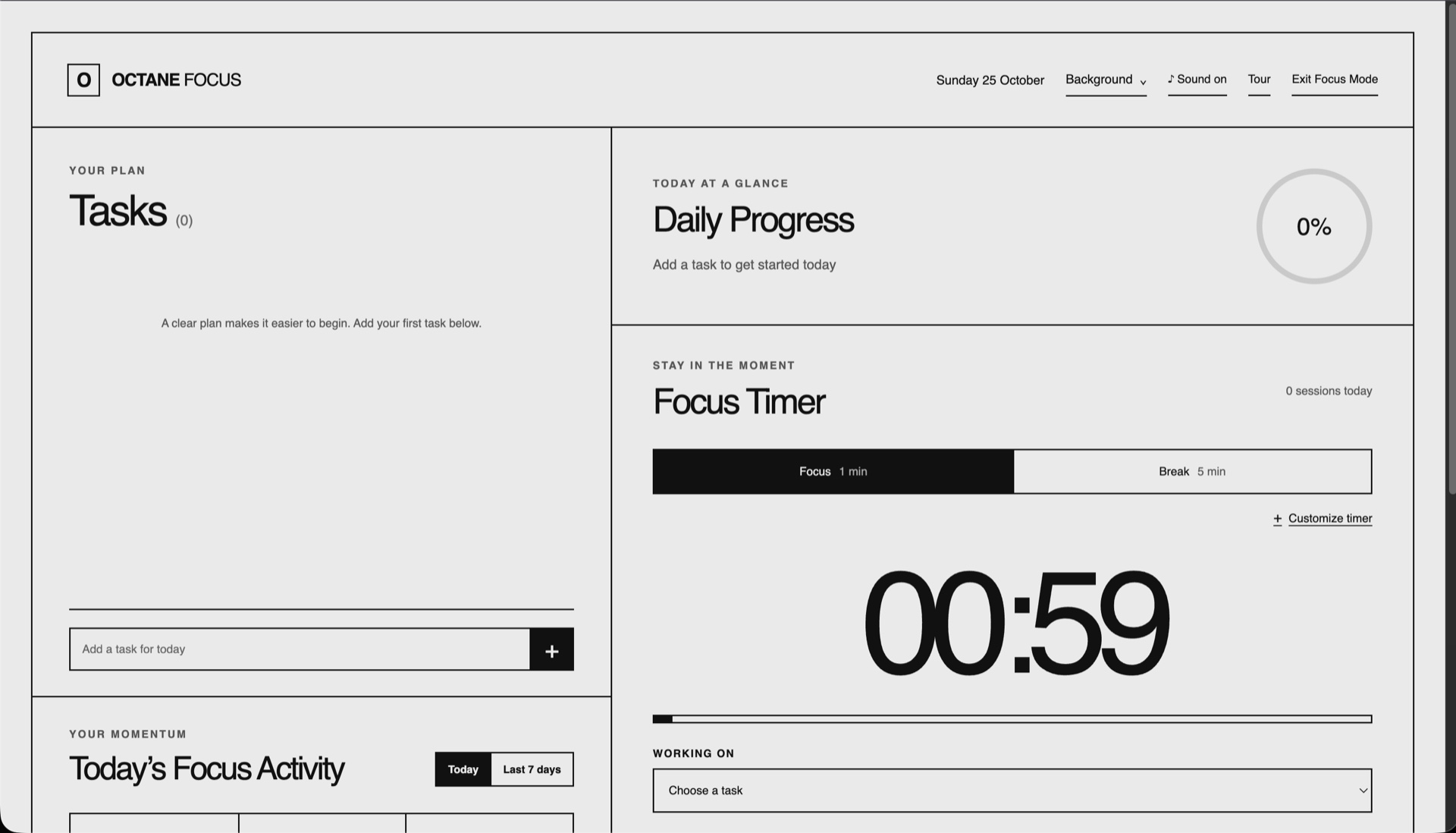
  1. Open Tools and select Focus Mode.
  2. Add a task and choose it from Working on.
  3. Choose Focus or Break and customize the timer if needed.
  4. Use Change playlist to paste a SoundCloud track or playlist link.
  5. Start the timer. Completed focus minutes are included in Today and Last 7 days.
Octane Focus Mode timer and task list
05

Appearance

Make it yours.

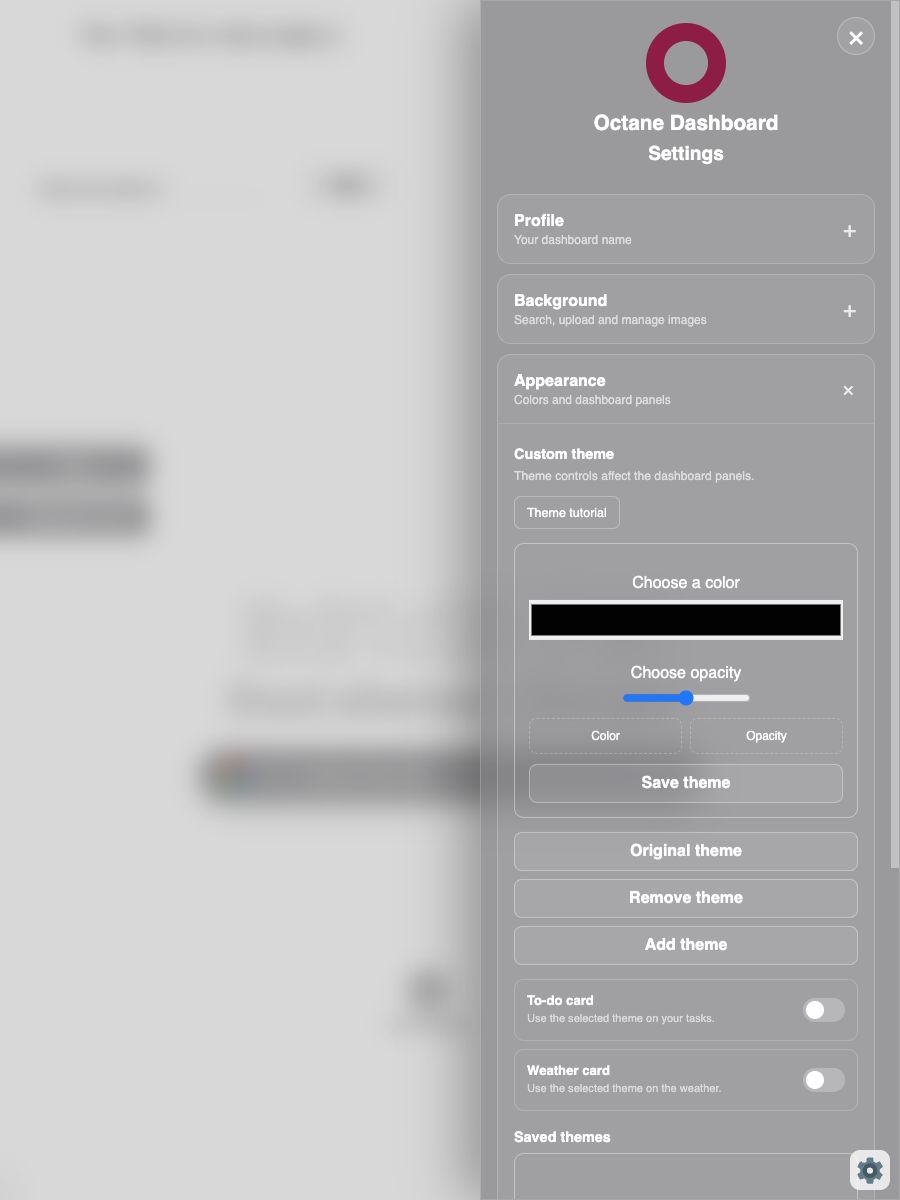
  1. Open Settings and expand Appearance.
  2. Choose a background source or add your own image.
  3. Select a colour and use Add theme to apply it across supported areas.
  4. Use the card toggles to include the to-do and weather areas.
  5. Choose Original theme to restore Octane’s default colour or Remove theme to turn it off on those cards.
Octane Appearance settings showing custom theme controls

Need help?

Find answers or report a problemSupport ↗